Salon software for WordPress

Everything your beauty business needs. All in one place.

From appointments and client records to payments, marketing and bringing clients back, WearBeauty puts your salon’s everyday tools in one simple system that runs on your own WordPress website.

Built for beauty salons, hairdressers, barbers, nail technicians, spas and aesthetics professionals.

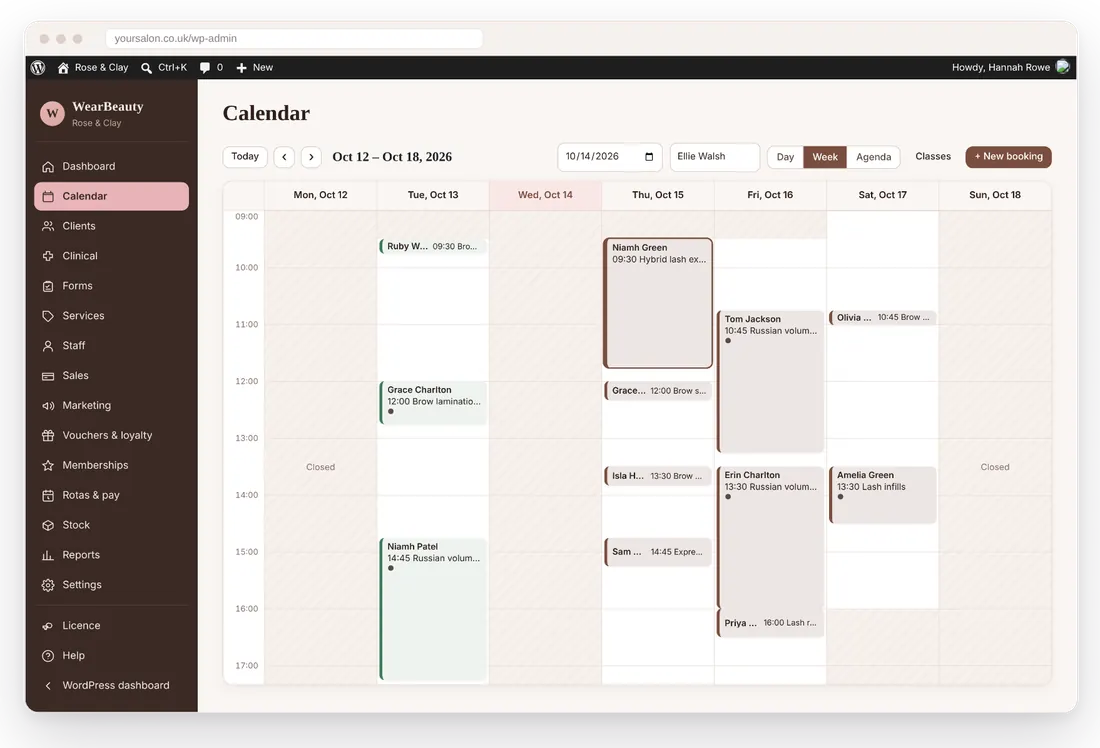
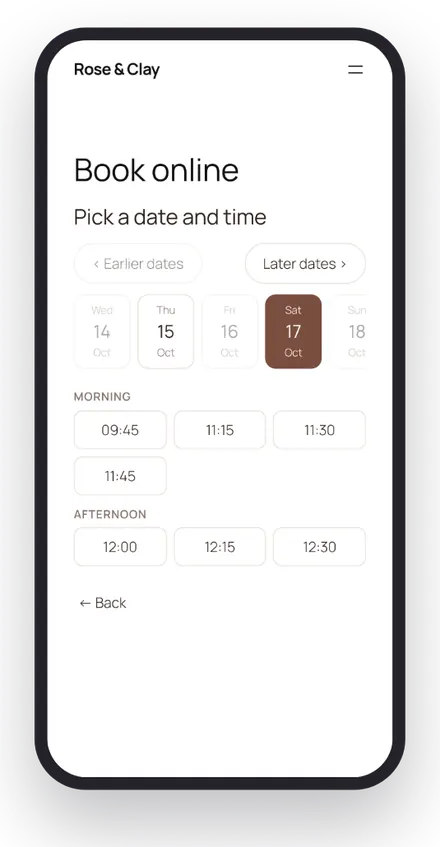
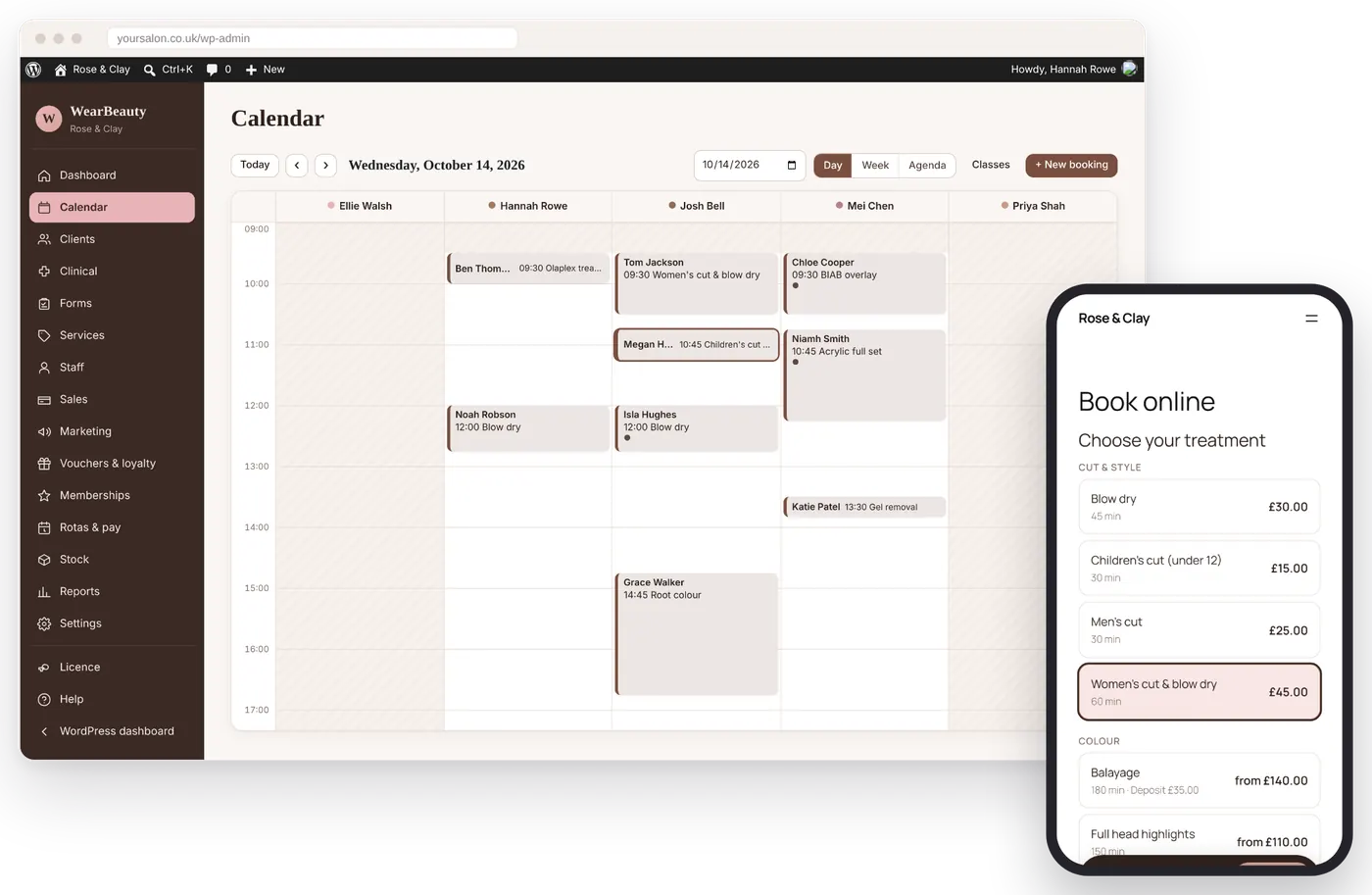
The WearBeauty appointment calendar for a demo salon, with the online booking page shown on a phone

Runs on your website

Install it on WordPress. Your client records stay in your website’s own database.

One monthly price

From £19 a month. No commission on bookings and no charge per text from us.

14 days free

Every feature switched on during the trial. No card needed to start.

UK support

Email us and we reply within 24 hours. A setup guide walks you through each step.

Who it’s for

Made for the way you work

Whether you work alone from a treatment room or run a team across branches, WearBeauty adapts to your services, your hours and your team.

Hair and barbers

Stylist columns, colour notes and formulas, patch tests and quick rebooking for regulars.

Beauty and nails

Lots of short treatments, add-ons and infills, packages and repeat bookings.

Lashes and brows

Patch-test records, infill timing, consent forms and treatment history.

Massage and spa

Rooms and equipment, longer treatments, courses and memberships.

Skin and aesthetics

Clinical records with face charts, batch numbers, encrypted photos and reviews.

Mobile beauty

Treatments at the client’s address, postcode areas you cover and a travel fee.

Specialist treatments

Waxing, tanning, make-up and other specialists with their own forms and timings.

Wellness

Holistic therapists and studios, with treatment courses and memberships.

Why one system

Stop juggling different tools to run your business

Many salons run on a booking app, a card machine, a paper consultation form, a spreadsheet for stock and a group chat for the rota. Each one only knows part of the story, so you end up copying details between them.

Common headaches

With WearBeauty

The software

Everything connected, working together

Book a client online and they appear in the diary, on their record and in your reports. Check them out and the sale, stock, loyalty points and commission all update together.

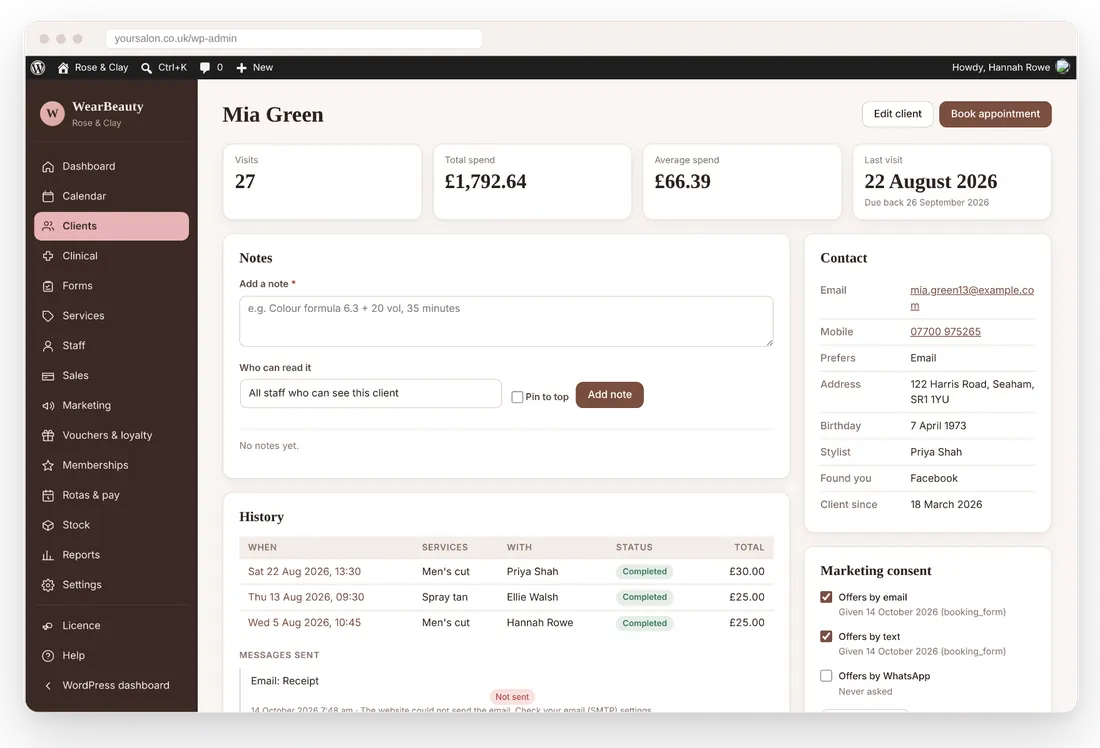
WearBeauty client management screen

Client management

One profile for each client: visits, spend, notes, consent, forms and history.

WearBeauty appointment booking screen

Appointment booking

A diary with a column for each team member, working hours and drag and drop.

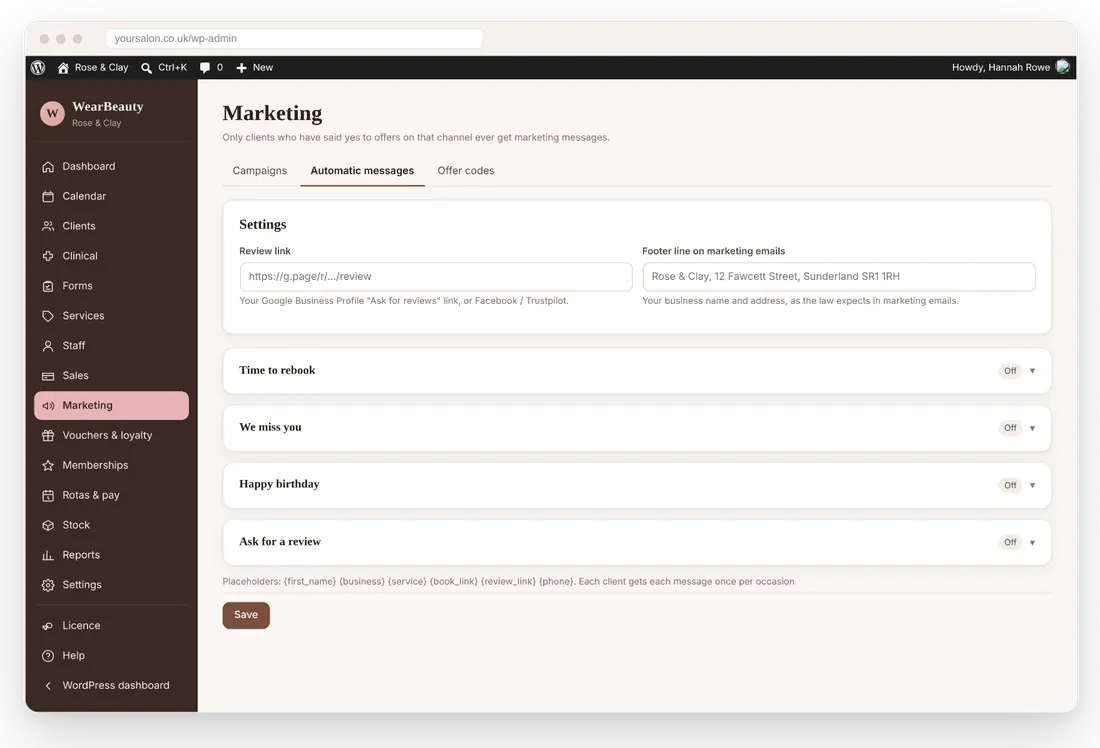
WearBeauty marketing automation screen

Marketing automation

Rebooking, win-back, birthday and review messages that run on their own.

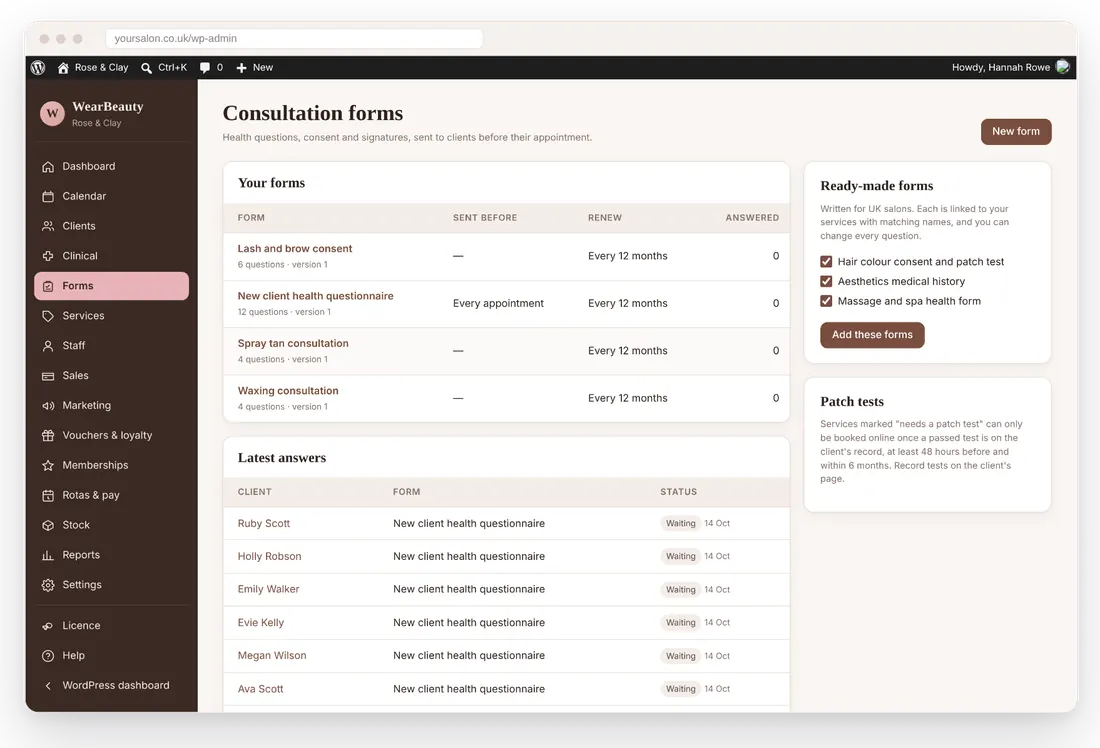
WearBeauty treatment records screen

Treatment records

Consultation forms with e-signatures, patch tests and clinical records.

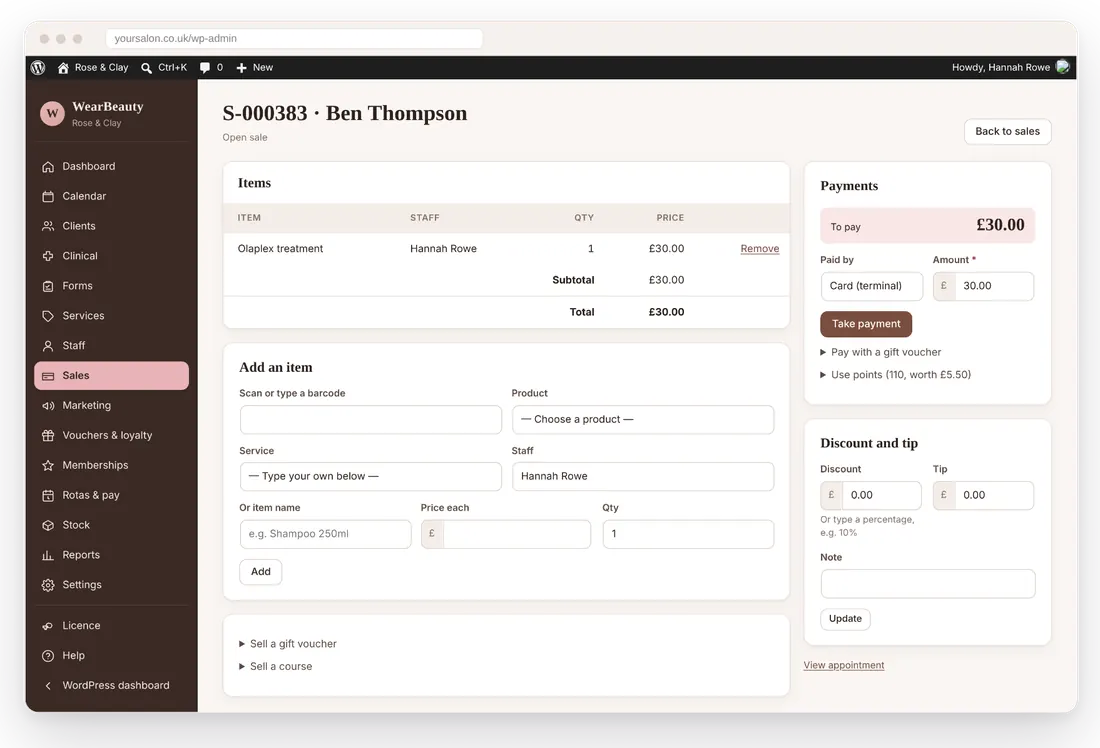
WearBeauty payments and sales screen

Payments and sales

Deposits online, checkout at the desk, gift vouchers, retail and tips.

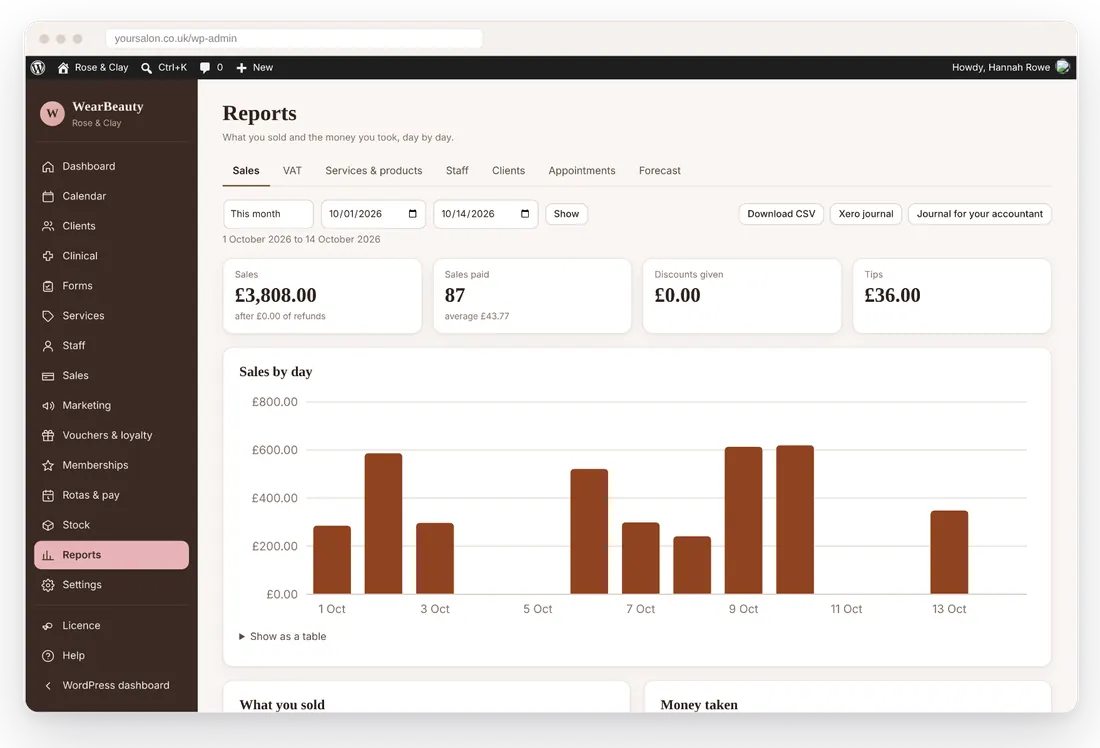
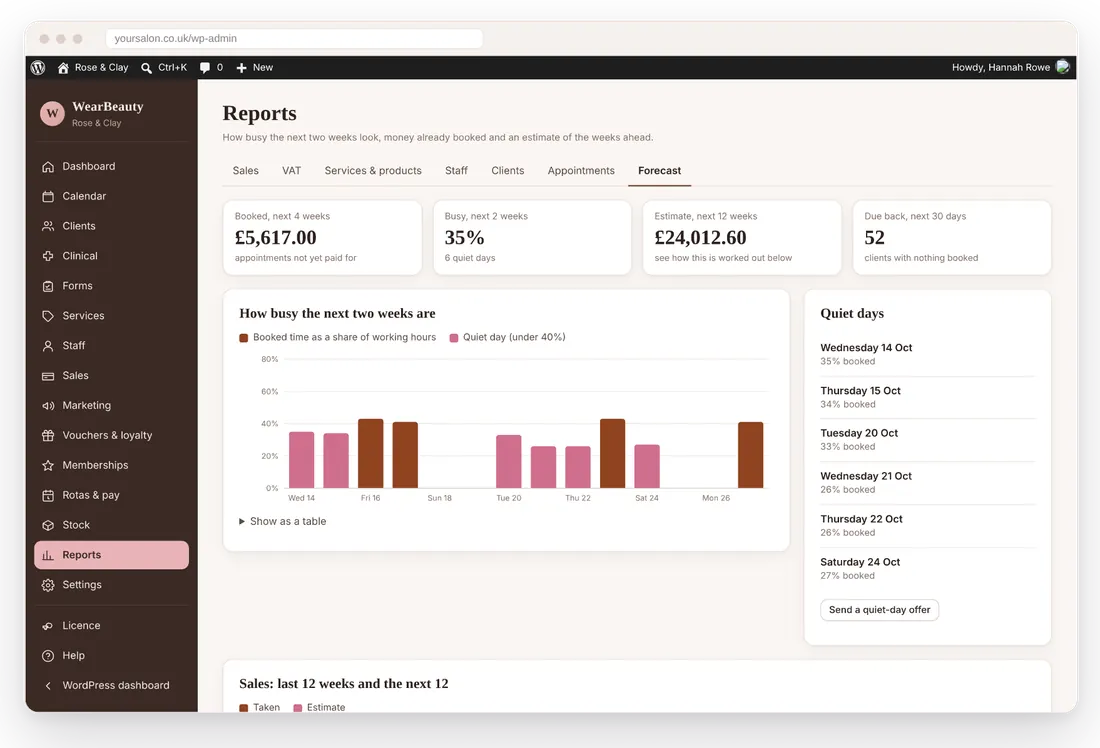
WearBeauty reporting and insights screen

Reporting and insights

Sales, VAT, staff, clients and forecasting from the same data.

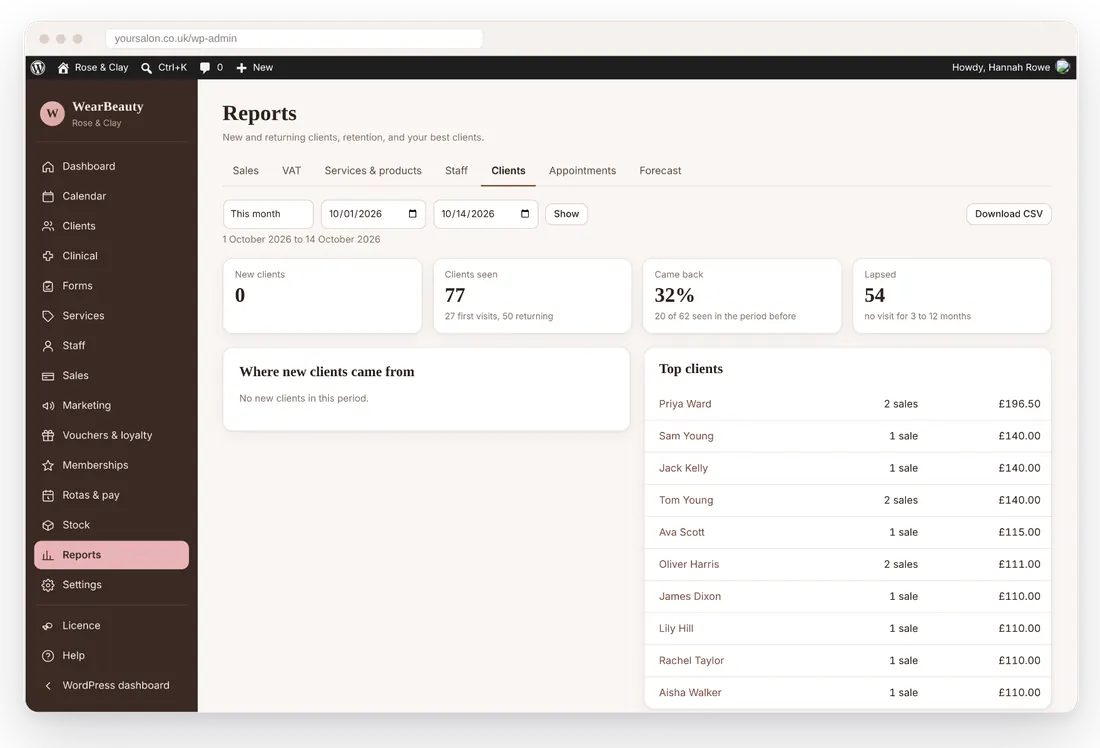
WearBeauty client report showing new and returning clients, the share who came back and top clients
Client retention

Turn more first-time visitors into loyal clients

Most of a salon’s income comes from people who return. WearBeauty keeps track of who is due back and helps you bring them in.

Product tour

See how WearBeauty works

Click through the dashboard, calendar, a client profile, checkout, marketing and reports, using our fictional demo salon, Rose & Clay.

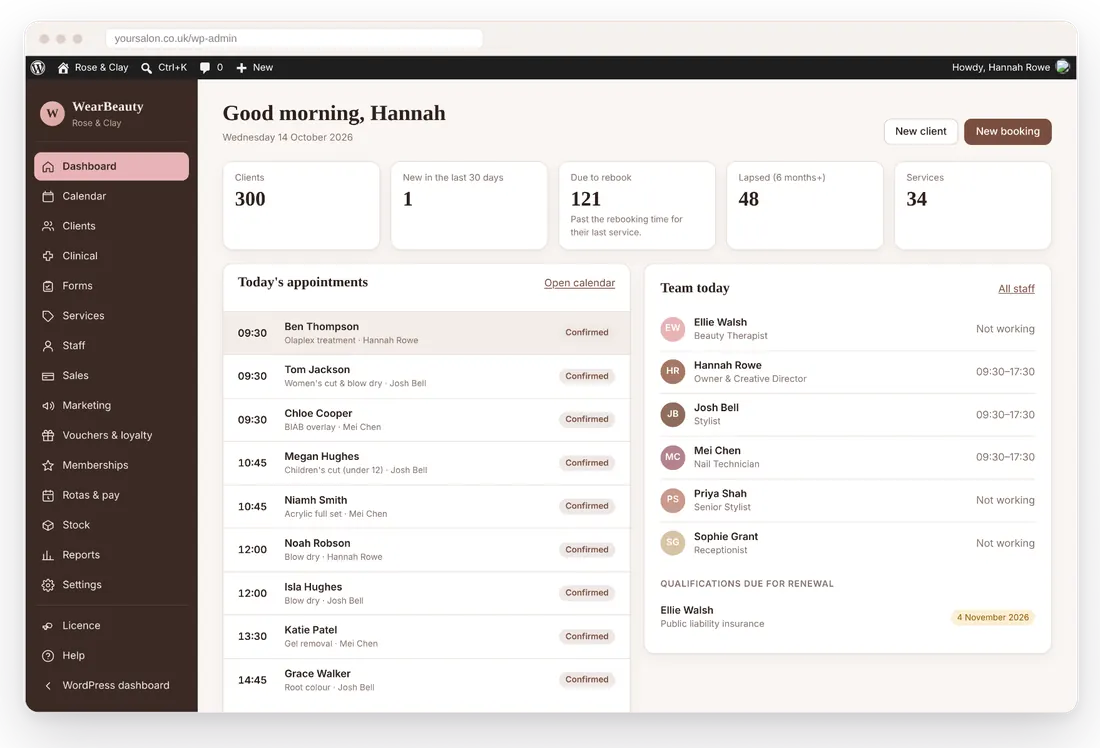
WearBeauty dashboard screen for the Rose & Clay demo salon

Your day at a glance

  1. Today’s appointments and who is working
  2. Clients due to rebook and lapsed clients, counted for you
  3. Qualifications and insurance coming up for renewal

Real screens from WearBeauty, showing Rose & Clay, a fictional demo salon. No real client information is shown.

Getting started

Get your salon organised in a few simple steps

1

Choose your plan

Start the 14-day free trial, then pick Starter, Professional or Premium, monthly or yearly.

2

Install on WordPress

Upload the plugin to your WordPress website and activate it, like any other plugin.

3

Set up your salon

The setup wizard takes you through opening hours, services, prices and your team.

4

Bring your clients

Add clients as they book, or import them from a spreadsheet exported from your old system.

5

Connect payments and texts

Add your own Stripe keys for deposits and card payments, and Twilio for text reminders.

6

Start taking bookings

Add the booking widget to your website and run your day from the calendar.

Why salons choose it

More control over your business. Less time on admin.

Save time with automatic workflows

Confirmations, reminders, rebooking nudges and review requests go out without anyone pressing send.

Keep clients coming back

Due-back lists, win-back messages, loyalty points and courses give clients reasons to return.

Run the salon from one place

Bookings, checkout, stock, rotas and forms share the same records, so nothing is typed twice.

Decide with real numbers

Sales, VAT, staff and client reports, plus a forecast of how busy the coming weeks look.

Pricing

A plan for your business

Simple monthly or yearly plans. No VAT to add, no setup fee and no commission on your bookings.

Starter

For independent therapists, stylists and technicians working alone or with one other person.

£19 /month

No VAT to add

  • Up to 2 bookable staff
  • 1 branch
  • Client records and history
  • Appointment calendar
  • Online booking on your website
  • Payments, checkout and cash-up
  • and more

Premium

For larger teams, groups with more than one branch and clinics offering aesthetics.

£69 /month

No VAT to add

  • Unlimited bookable staff
  • Unlimited branches

Everything in Professional, plus:

  • Memberships
  • Aesthetics clinical records
  • Forecasting

Every plan: 14-day free trial with all features, updates and email support included, cancel any time. Your own Stripe and Twilio accounts, so card fees and texts are billed to you by them at their rates.

Integrations

Works with the tools you already use

Connections that are built in today. Stripe and Twilio use your own accounts, so payments and texts are billed to you directly by them.

WordPress

Runs inside your own WordPress website.

Elementor

Drop the booking widget onto any Elementor page.

Stripe

Deposits, online payments, memberships and refunds through your own account.

Twilio SMS

Text confirmations, reminders and campaigns from your own Twilio number.

Email

Sends through your website’s mail setup, or an SMTP plugin of your choice.

WooCommerce

Keep retail stock and prices in step with your online shop.

Xero and accountants

Daily sales journals for Xero, or a summary for your accountant.

Google, Apple and Outlook

Each team member can see their bookings in their own calendar app.

FAQs

Questions salon owners ask

Can’t find your answer? Get in touch or try the live demo.

WearBeauty is salon management software that runs as a plugin on your WordPress website. It covers appointments, online booking, client records, payments, consultation forms, marketing, loyalty, stock, rotas and reports.
Hair salons, barbers, beauty salons, nail, lash and brow technicians, massage therapists and spas, skin and aesthetics clinics, mobile therapists and wellness practitioners, from one-person businesses to teams with several branches.
Yes. WearBeauty is a WordPress plugin. You need WordPress 6.2 or newer and PHP 7.4 or newer, on a secure (https) website.
Yes. There is an Elementor widget for the booking form, plus a block and a shortcode for other page builders.
On your own website. They choose treatments, a team member (or anyone available) and a time, then confirm with their details. You can take a deposit through your own Stripe account.
Yes. Export your clients from your current system as a CSV spreadsheet and import them under Clients → Import & export.
Yes, through your own Stripe account: deposits when booking, online payment, memberships and refunds. At the desk you can record card, cash, gift voucher and loyalty-point payments.
Yes. Starter includes 2 bookable staff, Professional 10 and Premium unlimited. Reception and admin logins do not count towards the limit.
Yes, on the Premium plan: clinical treatment records with face charts and batch numbers, encrypted photos, adverse reaction records and treatment plans.
Choose a plan on this website and your licence key appears in your account straight away. Paste it into WearBeauty → Licence on your website. The key works on one website at a time and updates arrive while your subscription is active.
Your subscription runs to the end of the period you have paid for. After that WearBeauty locks bookings and editing, but nothing is deleted and you can still export your clients, services and staff.
Yes. Client records are stored in your own WordPress database, not on our servers. Our licence server only receives your licence key and website address.
Yes, on every plan. Email info@wearbeauty.co.uk and we reply within 24 hours.

Ready to take control of your beauty business?

See how WearBeauty can bring your bookings, clients and everyday salon admin together.