
Every plan
Add booking to any page of your WordPress website. Clients choose their treatments, who they would like and a time that is really free, then pay a deposit if you ask for one.
14 days free with every feature. No card needed.
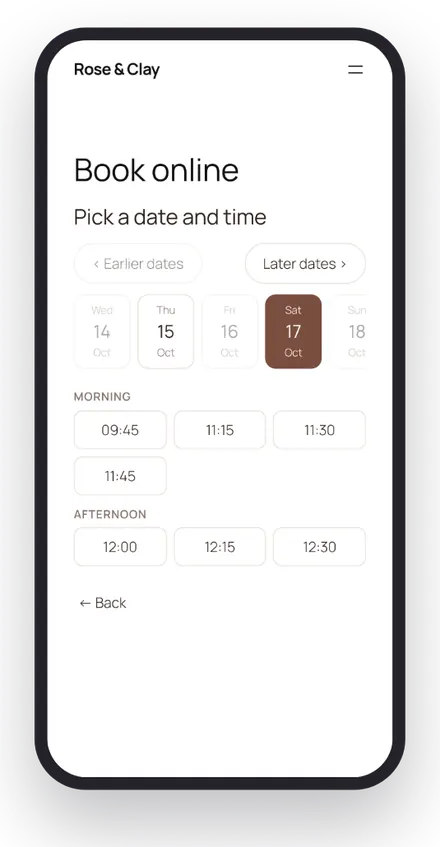
Clients can book several treatments in one visit.
Pick a team member, or “Anyone available” for the first free person.
Times take account of hours, breaks, rooms, equipment and processing time.
A fixed amount, a percentage or the full price, paid through your own Stripe account.
Every confirmation has a link to view or cancel. Deposits are refunded automatically inside your free cancellation window.
Set the postcode areas you cover and a travel fee for treatments at the client’s address.
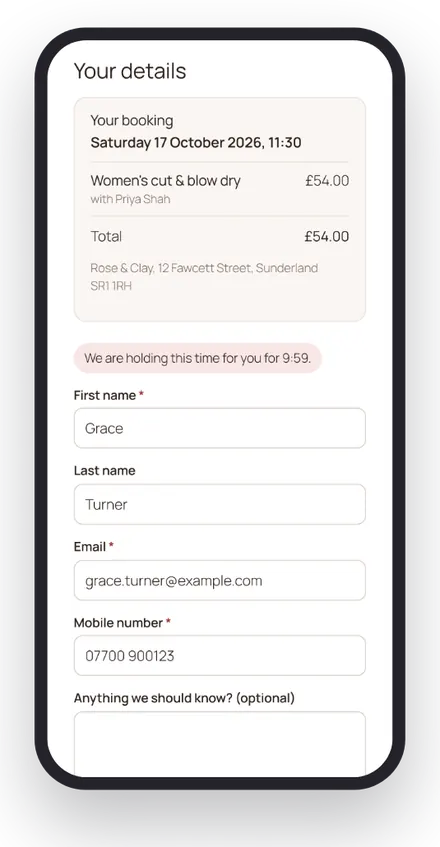
Decide how far ahead people can book and how much notice you need. WearBeauty does the rest.
Use the Elementor widget, the WearBeauty block or a shortcode, or let WearBeauty create the pages for you.
Clients pick one or more treatments from your menu.
A team member or anyone available, then a morning, afternoon or evening time.
They add their details, agree to your terms and pay any deposit.
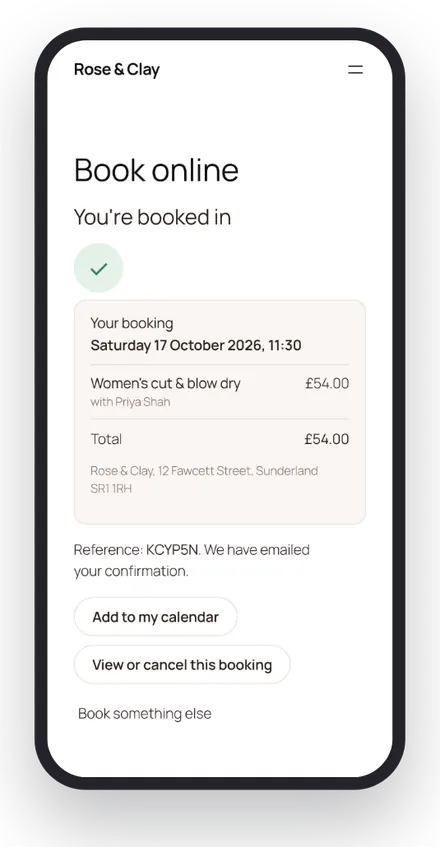
An email (and a text if you use Twilio) with a link to view or cancel.
Something else? Email info@wearbeauty.co.uk and we will reply within 24 hours.
Checkout at the desk and deposits online through your own Stripe.
Email and text confirmations and reminders, sent automatically.
Day, week and agenda views with a column for each team member.
See how WearBeauty can bring your bookings, clients and everyday salon admin together.